
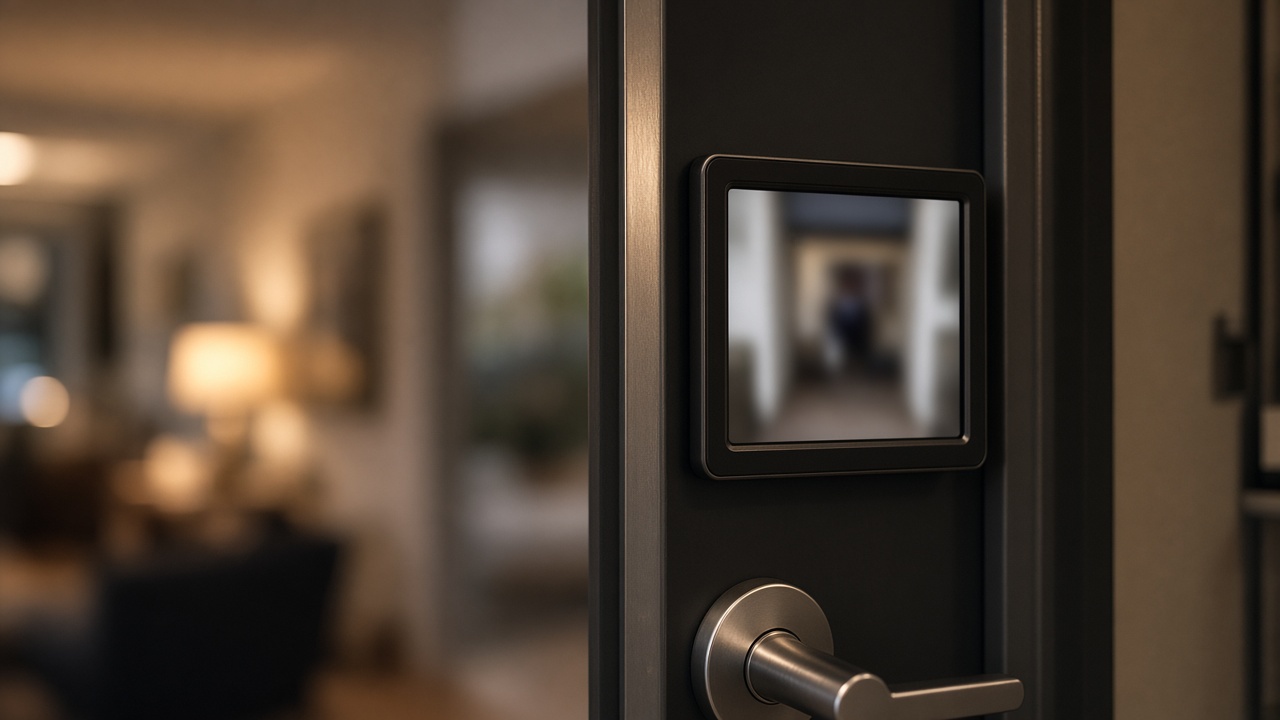
A smart lock with a camera or indoor cat-eye screen is a data device at the door, so the specification must say who can view the image, where it is stored, and how accounts are administered when people leave.
Overseas residential buyers often specify a visual lock because they want to see who is outside without opening the door. Apartment and small commercial buyers have the same interest, plus a harder privacy problem: staff, tenants, and visitors may be captured, and the person who installed the app may not be the person who still lives or works there a year later. This article lists the questions that belong in a project specification. It does not invent cloud regions, retention periods, or a published API. For the wider specification sequence, start with How to Specify a Smart Lock for Overseas Residential, Apartment, and Commercial Projects.
Separate local viewing from app viewing, and treat both as requirements
A useful specification states whether the buyer needs an indoor screen at the door, app viewing from elsewhere, or both, because those are different features with different privacy implications.
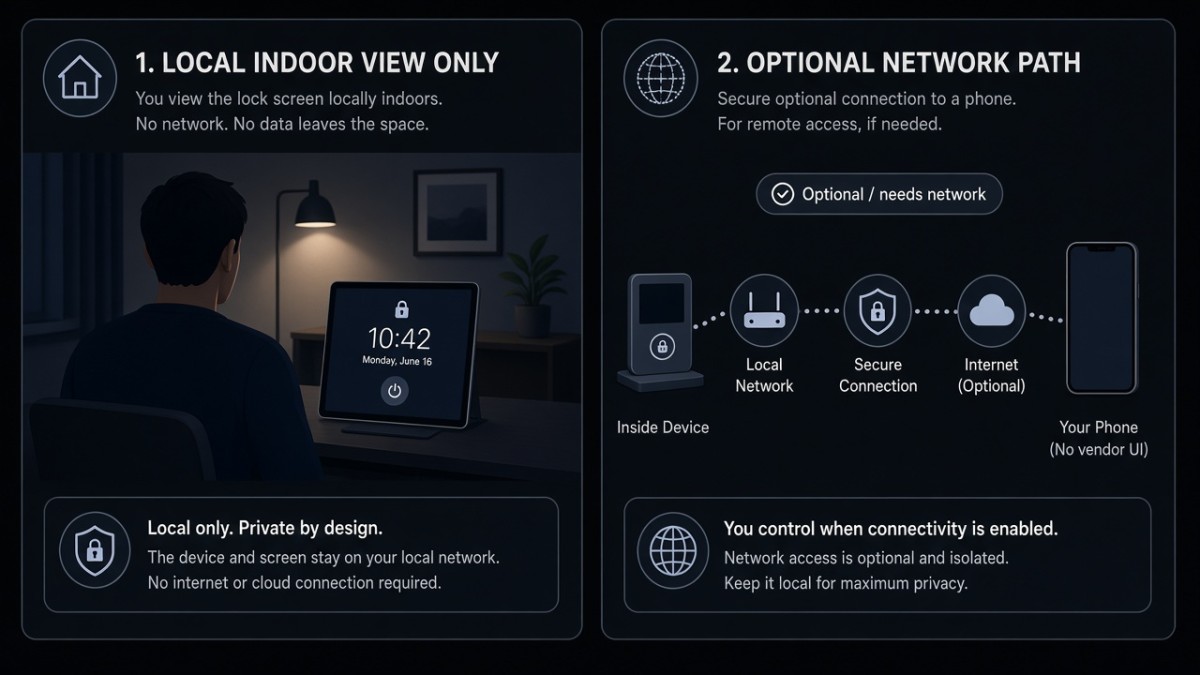
Local viewing on an indoor screen lets a person inside the dwelling see the entrance without sending that image across a network. That can be enough for a family entrance. App viewing, live talk, or remote playback can be useful for a manager or a resident who is away, but they depend on a network path and an account. They also extend the number of people who might be able to see the doorway.
Current featured models that are discussed as visual locks include the Hobere H8Pro, which is positioned around a VR panoramic cat-eye and an indoor display, and the Hobere D3, which is described as a dual-lens cat-eye lock with an indoor monitor. The D3 page is live even though its URL still uses an older "Simple Style" slug; refer to the product as D3. Other featured models, including H6Pro-F, Q9-F, and Q10, may also include an indoor screen or camera functions on their product pages; confirm the exact visual features on the configuration you are ordering. Do not assume that every featured model has a camera. A3 and A4 are handle-style locks and should not be specified as visual locks unless the factory confirms that feature.
Face recognition is not the same thing as a recording camera. A model may use a camera module to authenticate a face and may or may not offer live view or stored images. Write the two functions separately.
Name the app, and ask where images and accounts actually go
The app name belongs in the specification because it determines how users sign in, who can share access, and which privacy questions must be asked of the platform.
H8Pro uses Dingding Smart (叮叮智能). That name is not DingTalk, and the two should never be confused in an IT review or a user guide. Tuya is supported on A1, A2, A3, A4, D3, Q10, H6Pro-F, and Q9-F. If a visual lock is on that Tuya list, remote viewing, if provided, should be described as a Tuya-path feature and confirmed on the quotation. Third-party app-store mentions of other names should not be treated as official.
Public materials in this series do not state a Tuya or Dingding cloud region or a data-residency arrangement. If the destination market, a landlord, or a corporate policy requires a specific region, ask the factory and the platform in writing. Do not assume where live video, snapshots, or event logs are stored, how long they are retained, or whether audio is captured. Those are specification questions:
- Is viewing live only, or is video or a snapshot stored?
- If something is stored, is it on the lock, on a memory function, or in a cloud service?
- Is audio recorded or transmitted?
- Who can invite another viewer, and how is that invitation revoked?
- What remains visible after a tenant, staff member, or previous owner leaves?
- Is there a local-only mode if the buyer does not want remote viewing?
Network-dependent viewing should also have an outage plan. The lock must still open with local credentials if Wi-Fi is down. That connectivity split is explained in Tuya, TTLock, Wi-Fi, and Offline Unlock: What Still Works When the Network Drops. Matter over Wi-Fi is an expandable option, not a standard feature, and should not be treated as a privacy architecture unless the project requested it and the factory confirmed it.
Apartment and commercial buyers need an account-administration rule, not only a camera
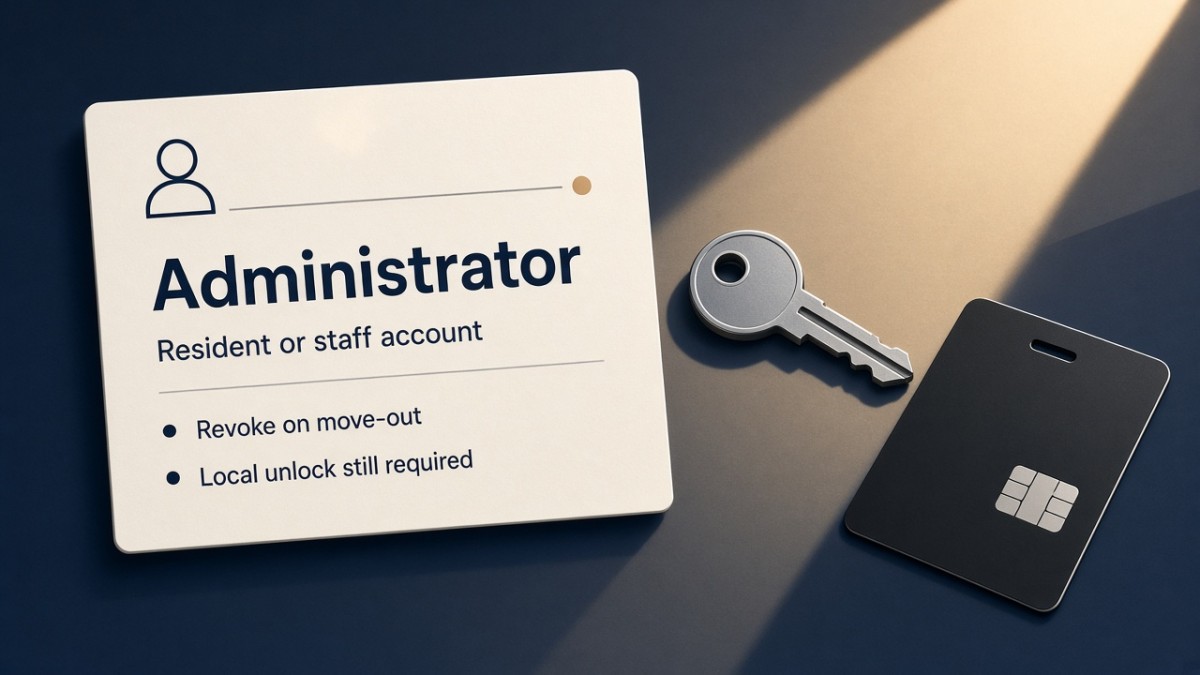
The hard privacy problem in multi-user buildings is leftover access: an old tenant, a former staff member, or an installer who still has the app.
A project specification should name an administrator and a handover rule:
- Who creates the first account at installation
- How a resident or staff account is issued and withdrawn
- Whether a property manager may view a dwelling entrance at all, and under what notice
- How a unit is reset when occupancy changes
- Whether visitors shown on a screen or in an app are retained, and if so, who may review them
If the building does not want a manager to see a private entrance, a local indoor screen with no managerial app access may be the better specification. If a manager must see a shared entrance, that is a different camera problem and should be described as such. Do not use hotel or PMS language for this; this series covers residential, apartment, and commercial access control, not hotel lock systems.
Battery planning also changes when a lock includes a screen or camera. Frequent live view can affect power consumption. Specify low-battery warnings at the door, and confirm emergency power on the exact model. D3 has documented emergency-power materials; other models should be confirmed.
Legal and cultural expectations vary by destination country. This article cannot give legal advice. Buyers should check local rules on doorbell cameras, audio recording, and notice to visitors, and should not assume that a product feature is automatically lawful everywhere it can be switched on.
What to put in the privacy section of an RFQ
A short privacy section prevents a visual lock from being treated as only another biometric option.
Include:
- Whether an indoor screen, a cat-eye camera, remote live view, two-way audio, or stored images are required-or prohibited
- The confirmed app name: Dingding Smart (叮叮智能) for H8Pro, or Tuya for the Tuya-supported models if that is the chosen visual lock
- Questions on storage location, retention, and region that the factory or platform must answer
- The administrator and revocation rule for apartments or commercial sites
- A statement that the lock must still open locally with no network
- Installation notes on camera height and lighting, so face unlock and viewing work as intended
- Power assumptions, including expected frequency of live view
Do not write a certificate, a ranking, or a case study into this section. Do not extend camera features from H8Pro or D3 onto a model that has not been confirmed as a visual lock.
Questions worth closing in writing
Does this exact configuration have a camera, a cat-eye, an indoor screen, audio, or stored images?
Ask for a feature-by-feature confirmation, not a family-level assumption.
Is local viewing possible without an app account?
If yes, that may reduce the data footprint for a private residence.
Where would any image or audio be stored, and in which region?
This is a question to ask. It is not a fact published in this series.
How is access revoked when a tenant or staff member leaves?
The answer should be a process, not only a technical menu name.
Which app is official on this model?
Use Dingding Smart or Tuya as confirmed above, and do not substitute DingTalk or an unofficial store name.
Talk with Hobere about visual locks and privacy requirements
Hobere can confirm which featured models include a cat-eye, indoor screen, or app viewing, and can help you write those functions-and the necessary limits-into a project specification. Send the required viewing mode, building type, and app questions to hongtusmartlock@hobere.com, or use the Contact page.
Hobere

Thank you very much for writing to us. Please leave your message and contact information, we will reply to you within 24 hours.